Claude Code Guide: Learn Claude Code Step by Step (2026)
 Maximin
- Published
- 3 min read
- 3 min read
Key takeaways
- Claude Code is Anthropic's AI coding agent. It reads your project, edits files, and runs commands in your terminal or the Claude app.
- Install it in one command and sign in with a paid Claude plan, from Pro at $20 a month.
- Write a CLAUDE.md so it knows your project every time.
- Then add, one at a time: skills for repeated tasks, hooks for automatic checks, MCP servers for your tools, and subagents for side tasks.
- Follow the steps in order. Each one links to a full guide.
Learn Claude Code faster
The free guide has the settings and prompts I use every day.
Get the free guideWhat is Claude Code?
Claude Code is Anthropic's AI coding agent. You describe what you want in plain English, and it reads your files, writes the code, and runs the commands to check its work. You don't need to be a developer to start: Claude Code for beginners shows the settings that matter on day one.
The Claude Code learning path
| Step | Guide | What you'll learn |
|---|---|---|
| 1 | Install Claude Code | One command for Windows, Mac, or Linux |
| 2 | Is Claude Code free? | Which plan to pick and how the limits work |
| 3 | Claude Code for beginners | Your first session and the key settings |
| 4 | The CLAUDE.md file | Give Claude your project's rules |
| 5 | Claude skills | Teach Claude a task once |
| 6 | Claude Code hooks | Run checks automatically |
| 7 | Claude Code MCP | Connect Notion, GitHub, and your other tools |
| 8 | Claude Code subagents | Send side tasks to helpers |
Step 1 and 2: install Claude Code and pick a plan
On Mac, Linux, or WSL, run curl -fsSL https://claude.ai/install.sh | bash. On Windows PowerShell, run irm https://claude.ai/install.ps1 | iex. Then type claude in your project folder and sign in. Every option and common error is in how to install Claude Code.
The Free Claude plan doesn't include Claude Code. Pro ($20 a month) is enough to learn; Max gives you more usage when you hit the limits. The full comparison is in is Claude Code free?.
Step 3 and 4: your first session and CLAUDE.md
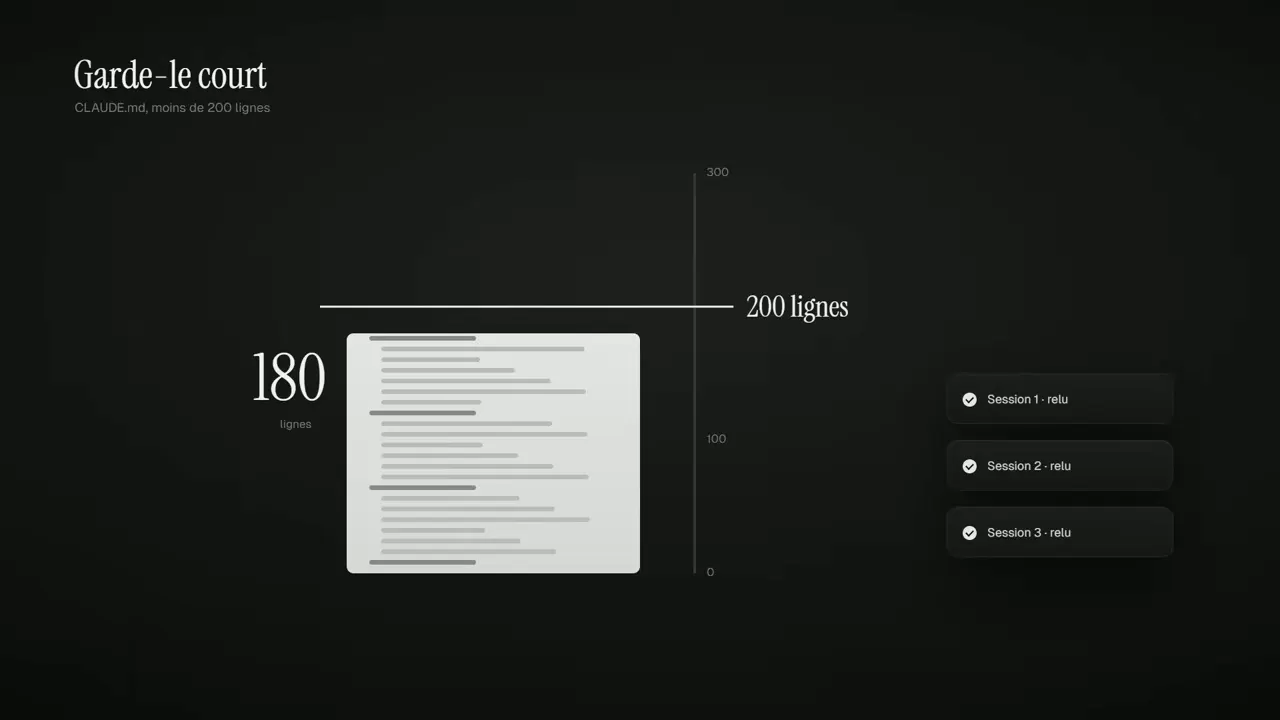
Start with a small task, and use plan mode (Shift+Tab) so Claude shows its plan before it changes anything. Then run /init: it writes a CLAUDE.md file that Claude reads at the start of every session. Keep it under 200 lines with your commands and rules. Details in the CLAUDE.md guide.
Step 5 to 8: skills, hooks, MCP, and subagents
- Skills turn a task you repeat into one
SKILL.mdfile Claude uses when it fits. Start with Claude skills, then pick from the 7 best Claude Code skills. - Hooks run a command at a set moment, like formatting every file Claude edits. See Claude Code hooks.
- MCP servers connect Claude Code to your tools, like Notion or a database. See Claude Code MCP.
- Subagents do side tasks in their own context and send back a summary. See Claude Code subagents.
Add them one at a time, when you feel the need. You don't need all four on day one.
Get the free Claude Code guide
The settings that change everything, with every prompt ready to copy.
Download the guideCompare Claude Code and build real projects
Still choosing a tool? Read Claude Code vs Codex vs Cursor, or start for free with the best free vibe coding tools.
Ready to build? These guides use Claude Code on real projects:
- Start a SaaS with Claude Code on a production-ready base.
- Build a scroll video website with one skill.
- Build a 3D website with Claude, step by step.
Frequently asked questions
How do I learn Claude Code?
Install it, pick a plan, try a small task in plan mode, then write a CLAUDE.md. Add skills, hooks, MCP servers, and subagents one at a time.
Is Claude Code hard for beginners?
No. You describe what you want in plain English. Plan mode shows you what it will do before it changes anything.
Do I need to pay for Claude Code?
Yes. The Free Claude plan doesn't include it. Pro at $20 a month is enough to learn.
What should I set up first in Claude Code?
A CLAUDE.md file with your project's commands and rules. Run /init and Claude writes a first version for you.
About the author
 Maximin
I’m a software engineer, and I help businesses and individuals turn their ideas into real projects with AI agents.