Claude Skills: What They Are and How to Use Them (2026 Guide)
 Maximin
- Published
- 4 min read
- 4 min read
Key takeaways
- A Claude skill is a folder with a
SKILL.mdfile: instructions, plus optional scripts and templates. Claude loads it only when your request matches it. - Skills work in the Claude app, Claude Code, and the API. Anthropic's help center lists every plan, Free included, with code execution turned on.
- Turn them on: Settings → Capabilities → code execution, then Customize → Skills.
- Anthropic's built-in skills create Excel, Word, PowerPoint, and PDF files.
- Only install skills you trust. A skill can run code, so read it first.
Get more out of Claude
The free Claude Code guide covers skills, settings, and prompts ready to copy.
Get the free guideWhat are Claude skills?
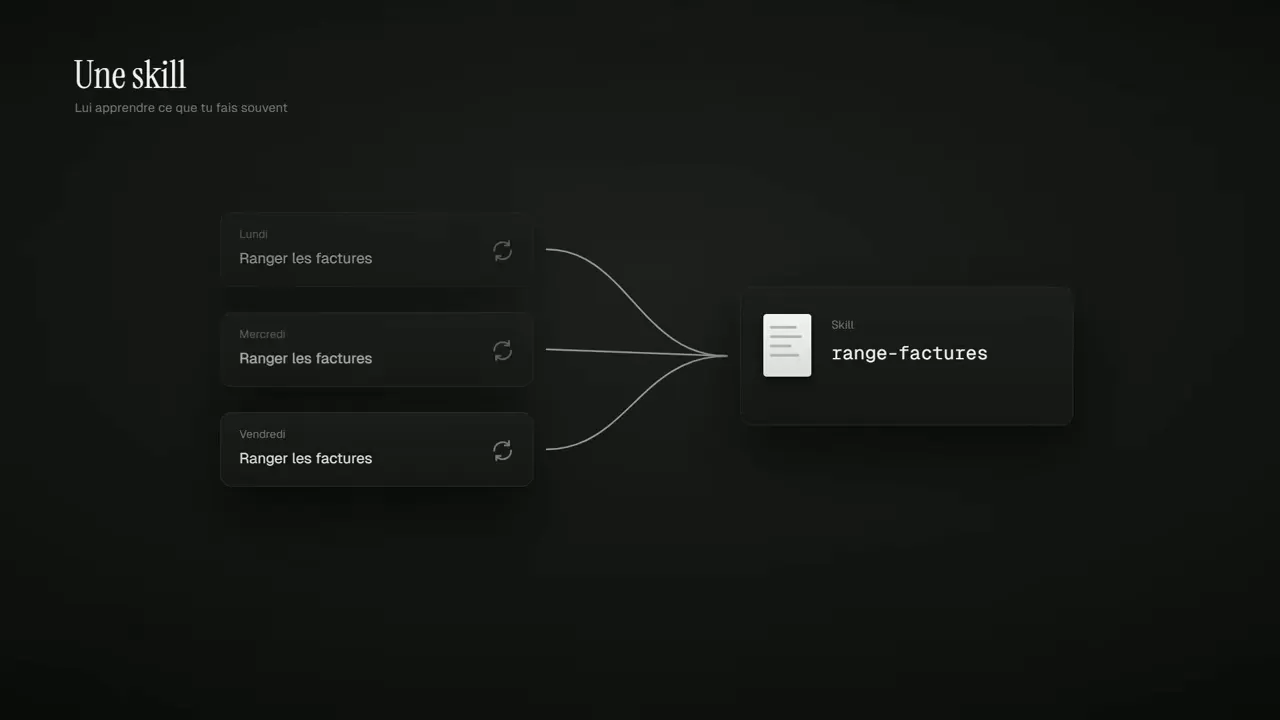
A Claude skill teaches Claude how to do one task your way. Anthropic calls them "modular capabilities": each skill packages instructions, a name and a description, and optional files like scripts or templates.
Instead of pasting the same long prompt every time, you write it once as a skill. When you ask for that task, Claude finds the skill and follows it.
How Claude decides when to use a skill
Skills don't fill up Claude's memory. Anthropic calls this progressive disclosure: Claude loads a skill in three steps, only as far as it needs.
- At the start: Claude only reads each skill's name and description.
- When your request matches a description: it reads the full
SKILL.md. - Only if the instructions point to them: it opens the extra files and scripts.
That is why the description matters most: it is what Claude compares your request to. Say what the skill does and when to use it.
How to turn on skills in the Claude app
- Open Settings → Capabilities and turn on Code execution and file creation (called Create and edit files in the newer layout). Skills need it.
- Go to Customize → Skills (claude.ai/customize/skills).
- Turn on the skills you want. Claude uses them on its own when a task matches.
On Team and Enterprise: skills are turned on in Organization settings → Plugins & skills. Anthropic says they are on by default for Team, but Enterprise owners must turn on code execution and Skills first.
Anthropic's built-in skills
Anthropic provides skills that work with no setup when you ask for a file: Excel spreadsheets, Word documents, PowerPoint presentations, and PDF files. More examples are in Anthropic's public skills repository on GitHub.
How to create your own Claude skill
The easiest way: ask Claude to write the skill for you, then test it. To make it by hand, create a folder named after the skill with a SKILL.md file inside:
---
name: weekly-report
description: Writes my weekly client report from my notes. Use when I ask for the weekly report.
---

# Weekly report

1. Read the notes I paste.
2. Group them under Done, In progress, and Next.
3. Keep it under 200 words, in a friendly tone.- name: up to 64 characters, lowercase letters, numbers, and hyphens. It can't contain "anthropic" or "claude".
- description: what the skill does and when to use it. Keep it short: the Claude app limits it to 200 characters.
- The folder name must match the skill name.
Upload it to the Claude app
Zip the folder so the skill folder is at the root of the ZIP, not loose files. Then go to Customize → Skills, click +, then Create skill → Upload a skill, and pick your ZIP.
Claude skills in Claude Code
Claude Code reads skills from folders on your computer. No upload needed:
| Folder | Works in |
|---|---|
~/.claude/skills/<skill-name>/SKILL.md | All your projects |
.claude/skills/<skill-name>/SKILL.md | This project only |
A plugin's skills/ folder | Wherever the plugin is installed |
Claude uses a skill when it fits, or you call it yourself with /skill-name. Skills you turned on in the Claude app can also load in Claude Code when you sign in with the same account. My favorites are in the 7 best Claude Code skills.
Are Claude skills safe?
Anthropic's advice is clear: only install skills from trusted sources, like ones you wrote or ones from Anthropic. A skill can run scripts, so a bad one could leak your data or trick Claude.
- Read the
SKILL.mdand every script before you turn it on. - Watch for instructions that connect to outside websites.
- Never put passwords or API keys in a skill.
Try a real skill
dream-site is the skill I use to build cinematic scroll websites with Claude Code. It's free.
Get dream-siteFrequently asked questions
What are Claude skills?
Folders with a SKILL.md file that teach Claude how to do a task, plus optional scripts and templates. Claude loads one only when your request matches its description.
Are Claude skills free?
Anthropic's help center lists skills on every plan, Free included. Code execution must be turned on in Settings.
How do I add a skill to Claude?
Go to Customize, then Skills, click the plus button, choose Create skill, then Upload a skill, and pick a ZIP of the skill folder.
What is the difference between Claude skills and Claude Code skills?
They use the same SKILL.md format. In the Claude app you upload a ZIP, and in Claude Code you put the folder in .claude/skills or in your home folder.
What is the difference between a skill and a prompt?
A prompt is used once. A skill is saved, loads on its own when it fits, and can include scripts and files.
About the author
 Maximin
I’m a software engineer, and I help businesses and individuals turn their ideas into real projects with AI agents.