7 Best Claude Code Skills in 2026 (and How to Install Them)
 Maximin
- Published
- 3 min read
- 3 min read
Key takeaways
- A Claude Code skill is a SKILL.md file: the steps, rules, and checks for one job.
- Install a skill by putting its folder in
~/.claude/skills(all projects) or.claude/skills(one project), then run it with/and its name. - From Anthropic: skill-creator builds and tests skills; frontend-design makes interfaces that don't look generic.
- From Matt Pocock: grill-me stress-tests a plan; tdd builds features test-first.
- From me: dream-site builds scroll animation websites, and the SaaS starter kit builds a production-ready SaaS.
Give Claude Code new skills
Start with the free dream-site skill, or build your SaaS with the starter kit.
Get the SaaS starter kitWhat is a Claude Code skill?
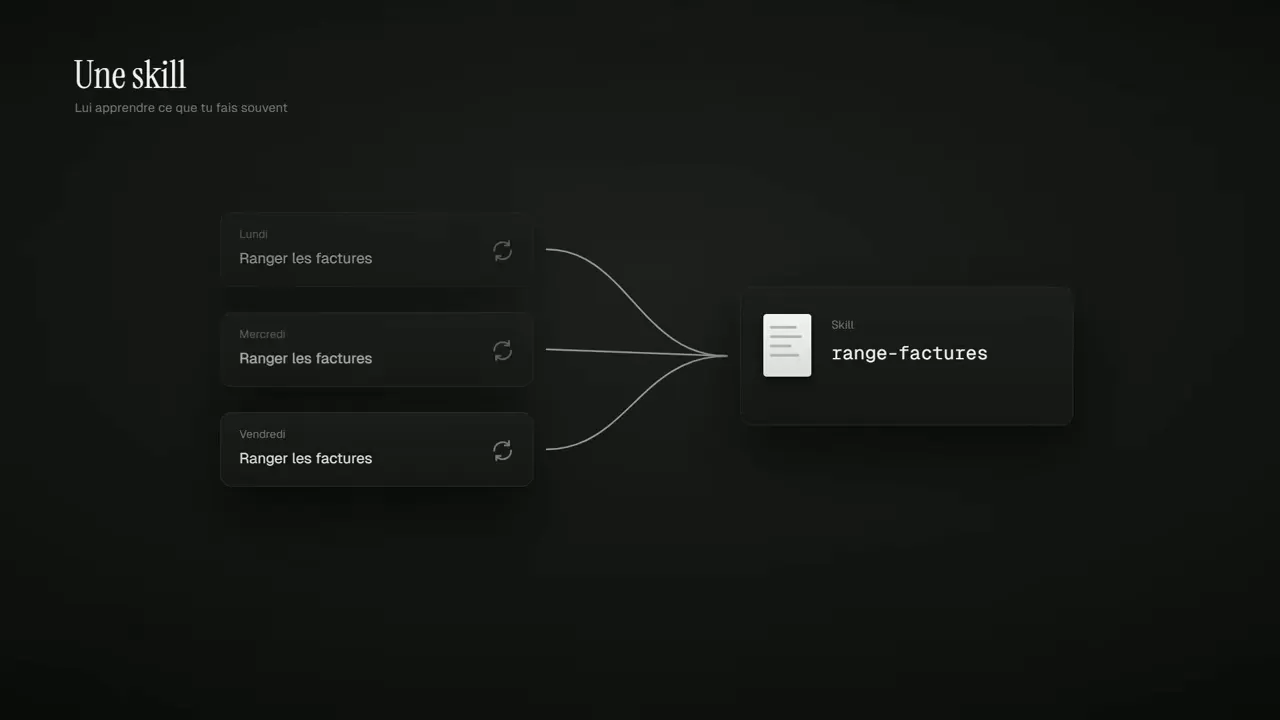
A skill teaches Claude a job you want done the same way every time. It is a folder with a SKILL.md file inside: a short description, then the steps, the rules, and the checks. Claude reads the description to know when the skill fits, and loads the rest only when it needs it.
New to Claude Code? Start with how to use Claude Code. Want skills in the Claude app too? Read Claude skills: how to turn them on and make your own.
The best Claude Code skills compared
| Skill | What it does | From |
|---|---|---|
| skill-creator | Creates, tests, and improves skills | Anthropic |
| frontend-design | Distinctive, production-grade interfaces | Anthropic |
| grill-me | A relentless interview to sharpen a plan | Matt Pocock |
| tdd | Test-first features and bug fixes | Matt Pocock |
| impeccable | Designs, audits, and polishes interfaces | Community |
| dream-site | Builds scroll animation websites | WithMax (free) |
| SaaS starter kit | Builds a production-ready SaaS | WithMax |
The 7 best Claude Code skills
1. skill-creator (Anthropic)
skill-creator helps you create a new skill, improve an existing one, and measure how well it works with evals. Best for turning a task you repeat into a skill that triggers at the right time.
2. frontend-design (Anthropic)
frontend-design pushes Claude to build distinctive, production-grade interfaces instead of the generic AI look. Best for landing pages, dashboards, and components.
3. grill-me (Matt Pocock)
grill-me interviews you relentlessly about a plan or a design until the weak spots show. Best for the moment before you start building.
4. tdd (Matt Pocock)
tdd makes Claude build features and fix bugs test-first, in red-green-refactor loops. Best for code you need to trust.
5. impeccable
impeccable designs, critiques, and polishes interfaces: hierarchy, typography, spacing, color, motion, and accessibility. Best for making a bland UI look finished.
6. dream-site (WithMax, free)
dream-site builds a premium scroll animation website where an AI film plays as you scroll, in English and French, for desktop and mobile. Best for freelancers and founders who want a site people remember. Read how dream-site works.
7. SaaS starter kit (WithMax)
Six skills that build a production-ready SaaS in your repo: TanStack Start, Convex, Coss UI, WorkOS sign-in, and team workspaces, with lint, typecheck, and build checked at each step. Best for founders who want to skip weeks of setup. Read the SaaS starter kit guide.
Get the SaaS starter kit
Six skills that build a production-ready SaaS in your own repo.
Get the skillsHow to install a Claude Code skill
- Download the skill folder (it contains a
SKILL.mdfile). - Put it in
~/.claude/skillsto use it in every project, or in.claude/skillsinside one project. - Start a new Claude Code session so it sees the skill.
- Run it with
/followed by its name, or just ask: Claude runs it when your request fits its description.
Frequently asked questions
What are Claude Code skills?
Folders with a SKILL.md file that teach Claude a job: the steps, rules, and checks. Claude loads a skill when your request fits its description, or when you call it with a slash.
Where do I put Claude Code skills?
In ~/.claude/skills to use them in every project, or in .claude/skills inside a project to use them only there.
Can I make my own Claude Code skill?
Yes. Do the task once with Claude, then ask it to turn it into a skill, or use Anthropic's skill-creator to build and test one.
Are these skills free?
skill-creator, frontend-design, grill-me, tdd, and dream-site are free. The SaaS starter kit is a one-time purchase with lifetime updates. Get dream-site
About the author
 Maximin
I’m a software engineer, and I help businesses and individuals turn their ideas into real projects with AI agents.