How to Build a 3D Website with Claude (for $3 in Video Costs)
 Maximin
- Published
- 6 min read
- 6 min read
Key takeaways
- Claude built the whole site. I wrote no code: I answered questions, approved a plan, and sent screenshots when something looked wrong.
- Three tools did the work: Claude (Opus 5) for the code and the project, ChatGPT for the images, and Veo 3.1 Lite on Kie AI for the videos.
- The 3D effect is a trick: each video goes from one still image to the next, and the scroll plays the videos forward or backward.
- The videos cost about $3: 21 videos at 30 credits each, so 630 credits. Images came from my existing ChatGPT plan.
- It works on mobile because the images and videos are generated a second time in a vertical format.
- The method is a free skill, dream-site, so you can reuse it for any business.
Build your own 3D website
Get the free skill I used, or start from the finished Halo Drive code.
Get dream-site for freeWhat is a cinematic 3D scroll website?
A cinematic scroll website plays a film as the visitor scrolls. When you scroll down, the camera moves forward. When you scroll up, it moves back. It looks like a 3D scene, but it is a sequence of videos.
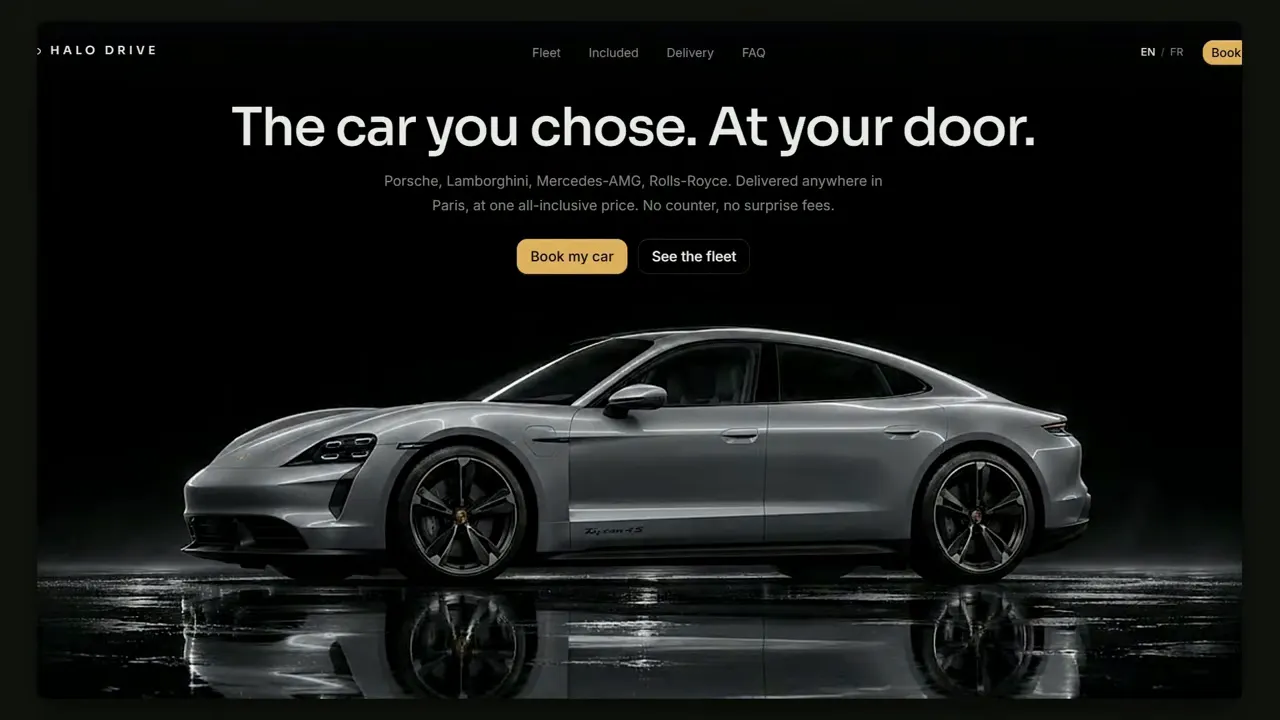
In Halo Drive, the car rental site from the video, the car moves with the scroll, the camera turns around it, and the headlights come on. In Ember & Skewer, a restaurant site built with the same method, a skewer travels from the fire to the table.
An agency can sell this kind of site for up to $10,000. Building one used to mean a 3D artist, a motion designer, and a developer.
The tools I used to build a 3D website with AI
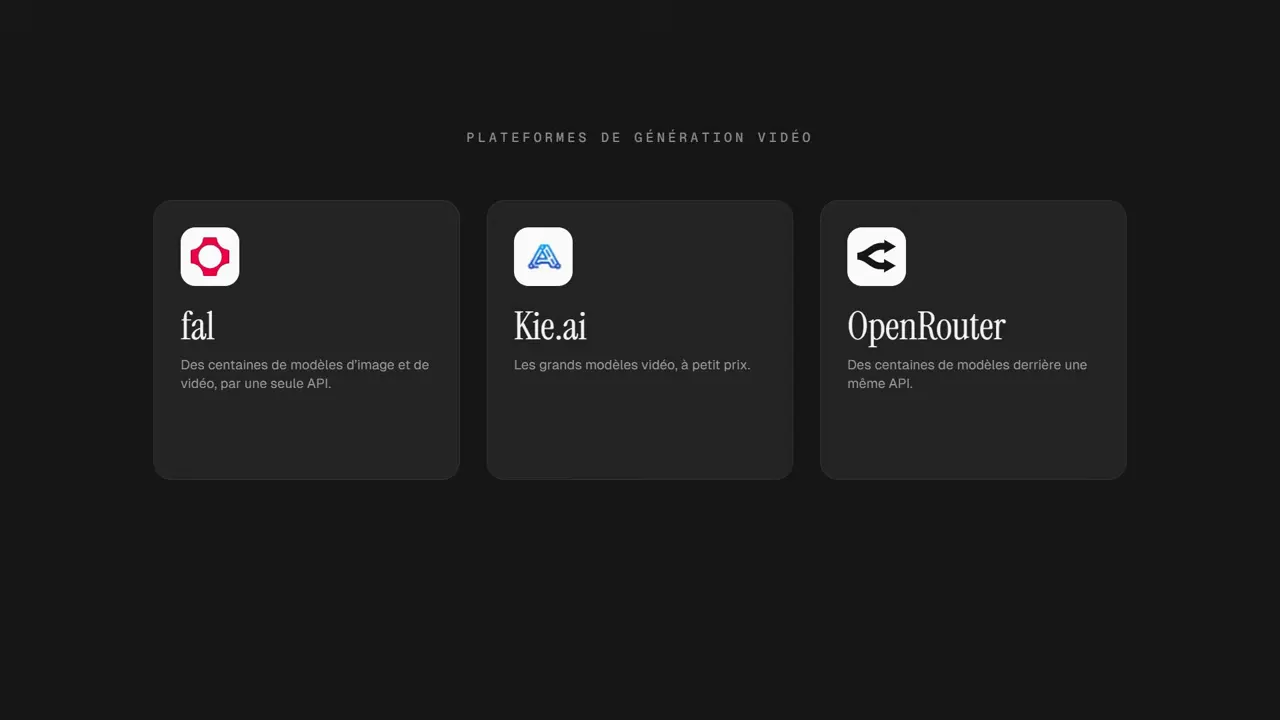
Claude (Opus 5): the builder
Claude asks the questions, writes the plan and the prompts, and builds the whole site. It cost me nothing extra because I already pay for the subscription.
ChatGPT (GPT Image 2.6): the images
ChatGPT generates the still image of each scene. I used my ChatGPT subscription on purpose: it already includes an image model, so paying for another one would have cost money for nothing.
Veo 3.1 Lite on Kie AI: the videos
Veo 3.1 Lite turns two images into the video that goes from one to the other. This is the only part I paid for: about $3, or 630 credits on Kie AI. My Kie AI review has the full pricing.
The dream-site skill: the method
The dream-site skill gives Claude the method, from the first questions to deployment. It is free.
An app to run Claude and ChatGPT together
To let Claude call ChatGPT, I ran both in one app that orchestrates the workflow. Wiring the two official apps together yourself takes a lot of technical work.
| Tool | Job in the project | Extra cost |
|---|---|---|
| Claude (Opus 5) | Questions, plan, prompts, and the whole site | $0 (existing subscription) |
| ChatGPT (GPT Image 2.6) | The still image of each scene | $0 (existing subscription) |
| Veo 3.1 Lite on Kie AI | The video between two images | About $3 (630 credits) |
| dream-site skill | The method, from questions to deployment | Free |
How to build a 3D website with Claude, step by step
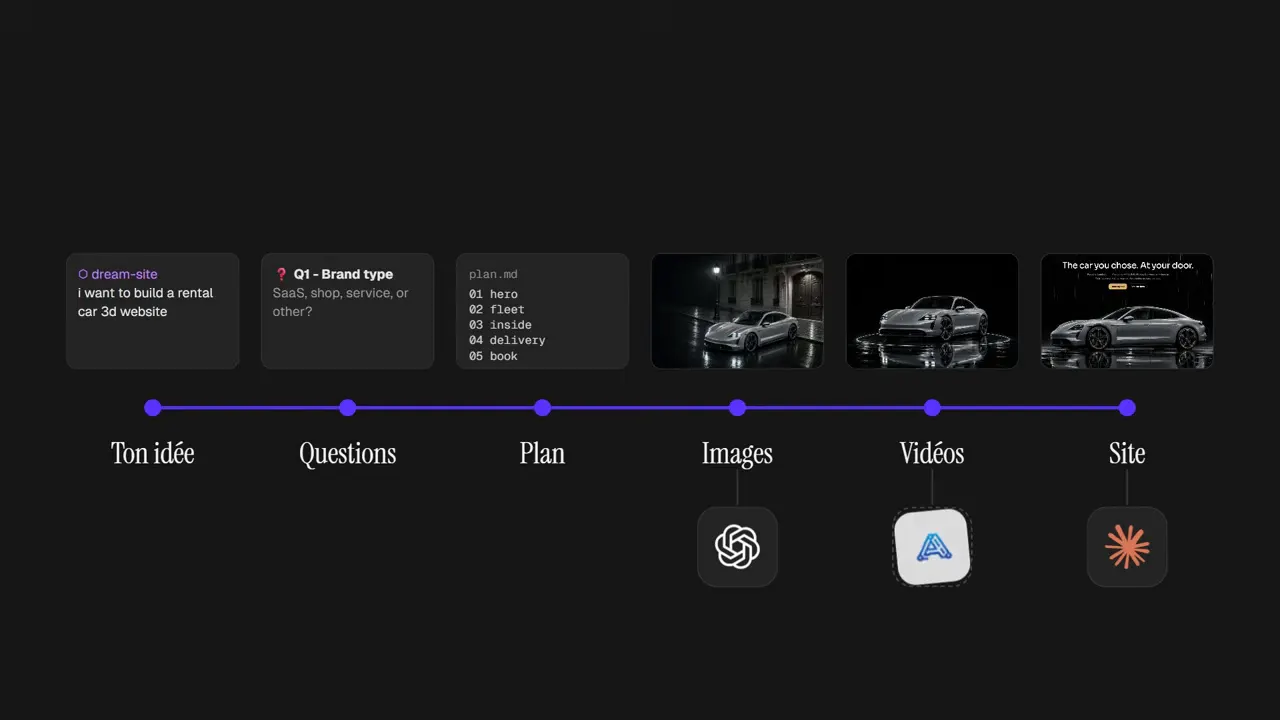
1. Start with an empty folder and the skill
I created an empty project folder, installed the dream-site skill, and asked Claude for a cinematic website for a car rental agency. The prompt was short. I did not describe any animation or transition, because the skill already contains those instructions.
2. Answer Claude's questions
Claude did not start coding. It asked about the type of business, the target customers, the visual style, the features, and the mood of the animations. I am not a designer, so I collected reference images on Pinterest to show what I had in mind.
You do not need every answer up front. For example, I added along the way that I wanted several car models with their specs and a booking flow, not a single car. Claude also asked which video provider I had credits on, and created a .env file so I could paste my API key safely.
3. Approve the plan and the cost estimate
After several rounds, Claude wrote a plan with every answer in it: the structure, the scenes, and the animations. I chose to tell the story in five scenes:
- A car in the dark
- The available models
- Inside the car
- The delivery service
- The booking
The goal was not five classic sections. The move from one scene to the next had to look like one continuous camera move, controlled by the scroll. The plan also listed every image and video to generate, with a cost estimate before anything was spent. That matters, because AI video is expensive. I picked Veo 3.1 Lite because it was cheaper and good enough for this job.
Get the skill I used
dream-site is free. Install it, describe your business, and Claude follows the same steps.
Get dream-site for free4. Generate the images, scene by scene
We did not generate every image at once. We started with the hero, the first scene a visitor sees. Claude wrote the prompt and sent it to ChatGPT, which generated the image. Then we moved to the next scene.
5. Turn the images into videos
This is the hardest part, and the one that makes the 3D effect. You take two images, the start and the end of a scene, and ask Veo 3.1 Lite to generate the video that goes from the first to the second. Each video is a transition between two moments of the site. Put together, they look like one continuous move.
We tested one video before generating the rest. Not everything worked the first time: on one animation, the two tail lights looked wrong. I asked Claude to fix it, it rewrote the prompt, and the second version was right.
6. Let Claude build the site
Once the videos were approved, Claude put the videos, images, and text together and wrote all of the code. You see the result on a local server. When something looks wrong, take a screenshot, send it to Claude, and it makes the change.
Does a 3D scroll website work on mobile?
Yes, if you plan for it. A video made for a wide screen does not fit a phone: keep the same framing and part of the car gets cut off.
The skill tells Claude to generate every image again in a vertical format, then send them back to Veo 3.1 Lite. You keep the same scenes and the same animations, in a format made for phones.
How much does it cost to build a 3D website with AI?
Videos: about $3
I generated 21 videos on Kie AI, at 30 credits each. That is 630 credits, about $3 according to my cost log.
Images and code: included in my subscriptions
The images came from ChatGPT and the code from Claude. You need both subscriptions, but I left them out because I already pay for them and use them every day.
Compared with an agency
An agency can charge up to $10,000 for the same kind of site. Here, you don't have to code the animations yourself.
Who this method is best for
Freelancers and agencies
Sell premium websites without hiring a 3D team.
Founders and brands
Get a landing page that people remember: a car, a restaurant, a hotel, or a product launch.
People who don't code
You answer questions and review screenshots. Claude writes the code.
People who want the finished site
Want the finished site instead of building it? The Halo Drive source code is ready: add your brand and deploy.
Frequently asked questions
Do I need to know how to code to build a 3D website with Claude?
No. Claude writes all of the code. You answer its questions, approve the plan, and send screenshots when something needs to change.
How much does a 3D website made with AI cost?
For Halo Drive, the 21 videos cost 630 credits on Kie AI, about $3. You also need Claude and ChatGPT subscriptions, which I already had.
Which AI tools do I need?
Claude to plan and build the site, an image model (I used ChatGPT), and a video model that can go from a first frame to a last frame (I used Veo 3.1 Lite on Kie AI).
Does it work for other businesses than car rental?
Yes. I used the same method for Ember & Skewer, a restaurant website. The skill works for any brand that can tell its story in a few scenes.
Is the dream-site skill free?
Yes. You can download it for free on WithMax. Get dream-site
About the author
 Maximin
I’m a software engineer, and I help businesses and individuals turn their ideas into real projects with AI agents.