Claude Code Subagents: What They Are and How to Create One
 Maximin
- Published
- 3 min read
- 3 min read
Key takeaways
- A subagent is a helper with its own context window, its own instructions, and its own tools. It does a side task and returns only the summary.
- Claude Code has built-in subagents: Explore (fast, read-only search), Plan (research during plan mode), and general-purpose (explores and changes code).
- Create your own as a Markdown file in
.claude/agents/(one project) or~/.claude/agents/(all projects). Onlynameanddescriptionare required. - Claude picks a subagent from its description, or you can ask for it by name or with
@. - Subagents use your plan's limits like the main conversation, so don't start more than you need.
Get more out of Claude Code
The free guide covers the settings that change everything, with every prompt ready to copy.
Get the free guideWhat are Claude Code subagents?
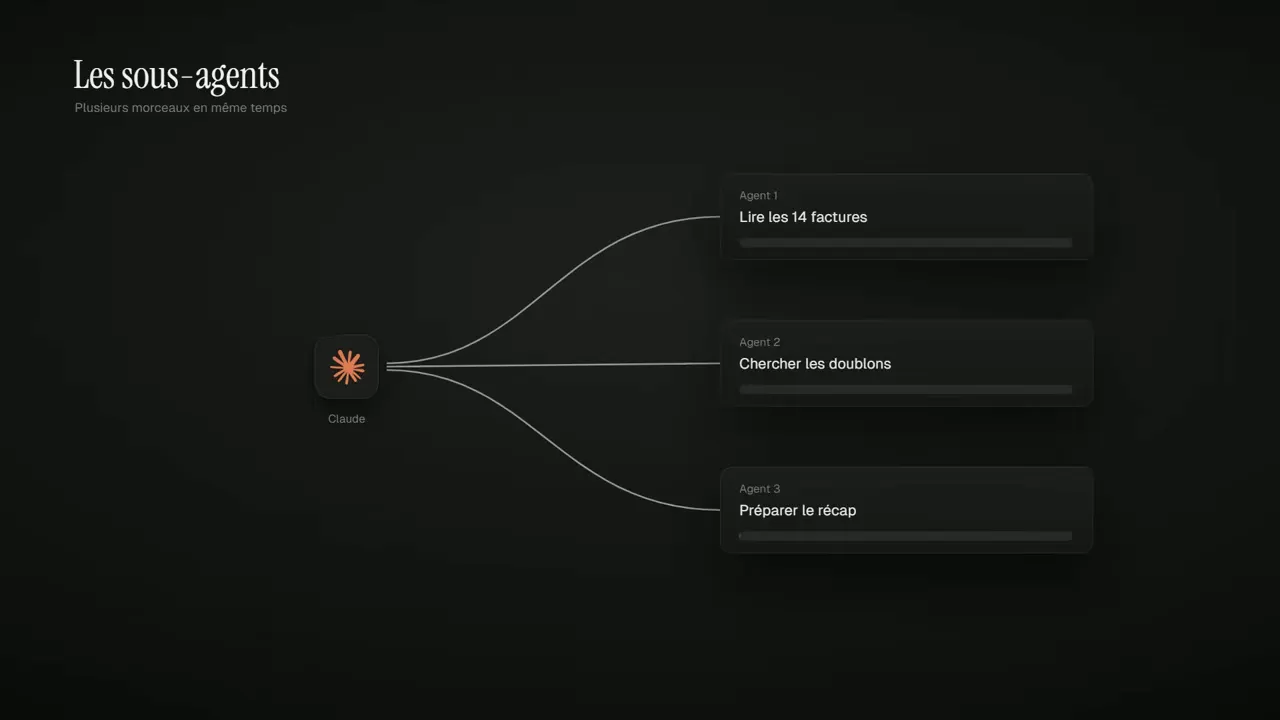
When Claude Code searches through 50 files to find one function, all those results fill your conversation, and you'll never read them again. A subagent does that side task in its own context window, then sends back only the answer. Your main conversation stays short and focused.
- Keep context clean: exploration stays out of your main conversation.
- Limit tools: a reviewer can read code but not edit it.
- Reuse them: save a subagent once and use it in every project.
- Save money: send simple tasks to a faster, cheaper model like Haiku.
Built-in Claude Code subagents
| Subagent | What it does | Can edit files? |
|---|---|---|
| Explore | Fast search and analysis of your codebase, quick to very thorough | No |
| Plan | Gathers context during plan mode before Claude shows the plan | No |
| General-purpose | Multi-step tasks that need both research and changes | Yes |
| claude-code-guide | Answers questions about Claude Code itself | No |
You don't have to call them. Claude Code uses them on its own, for example Plan when you're in plan mode.
How to create a subagent
A subagent is a Markdown file: settings at the top, then its instructions. This one, from the docs, reviews code without touching it:
---
name: code-reviewer
description: Reviews code for quality and best practices
tools: Read, Glob, Grep
model: sonnet
---

You are a code reviewer. When invoked, analyze the code and provide
specific, actionable feedback on quality, security, and best practices.| Folder | Works in |
|---|---|
.claude/agents/ | This project (commit it to share it) |
~/.claude/agents/ | All your projects |
The easiest way is to ask Claude: "Create a code-reviewer subagent in .claude/agents that…". Useful fields beyond name and description: tools (what it may use), model (sonnet, opus, haiku, or inherit), skills (skills to load at start), and color.
How to use a subagent
- Let Claude choose: it reads each subagent's
description. Write "use proactively" in it to make Claude call it more often. - Ask by name: "Have the code-reviewer subagent look at my recent changes."
- Force it with @: type
@and pick the agent, so it runs for this task for sure. - For a whole session: start Claude Code with
claude --agent code-reviewer. - In parallel: "Research the auth, database, and API modules in parallel using separate subagents."
Get the free Claude Code guide
The install and the 5 settings to know, step by step, with every prompt ready to copy.
Download the guideSubagents vs skills
A skill teaches Claude how to do a job, in your main conversation. A subagent does a job somewhere else, in its own context, and reports back. Use a skill for a method you repeat. Use a subagent for a side task whose details you don't need to see. You can combine them: a subagent can load skills at start.
- Give each subagent one job and a description that tells Claude exactly when to use it.
- Grant only the tools it needs.
- Keep chatty work in the main conversation: subagents are bad at back-and-forth.
Frequently asked questions
What are subagents in Claude Code?
Helpers that run in their own context window with their own instructions and tools. They do a side task, like searching or reviewing, and return only a summary.
How do I create a Claude Code subagent?
Save a Markdown file with name and description at the top in .claude/agents for one project, or ~/.claude/agents for all projects. Or ask Claude to write it.
Can subagents run in parallel?
Yes. Ask Claude to use separate subagents for separate tasks, and they run at the same time. Each one uses tokens, so start only the ones you need.
What is the difference between a subagent and a skill?
A skill teaches Claude how to do a job in your conversation. A subagent does a job in its own context and reports back.
About the author
 Maximin
I’m a software engineer, and I help businesses and individuals turn their ideas into real projects with AI agents.