ChatGPT Computer Use vs Browser Use: Let ChatGPT Do Tasks for You
 Maximin
- Published
- 4 min read
- 4 min read
Key takeaways
- Browser use lets ChatGPT open websites, click, fill in forms, and move between pages.
- Computer use goes further: it uses the apps installed on your computer, like Excel, Notion, or Figma.
- I tested 4 tasks: a Notion table, a reply on X, a YouTube thumbnail in Canva, and a rectangle in the Figma app.
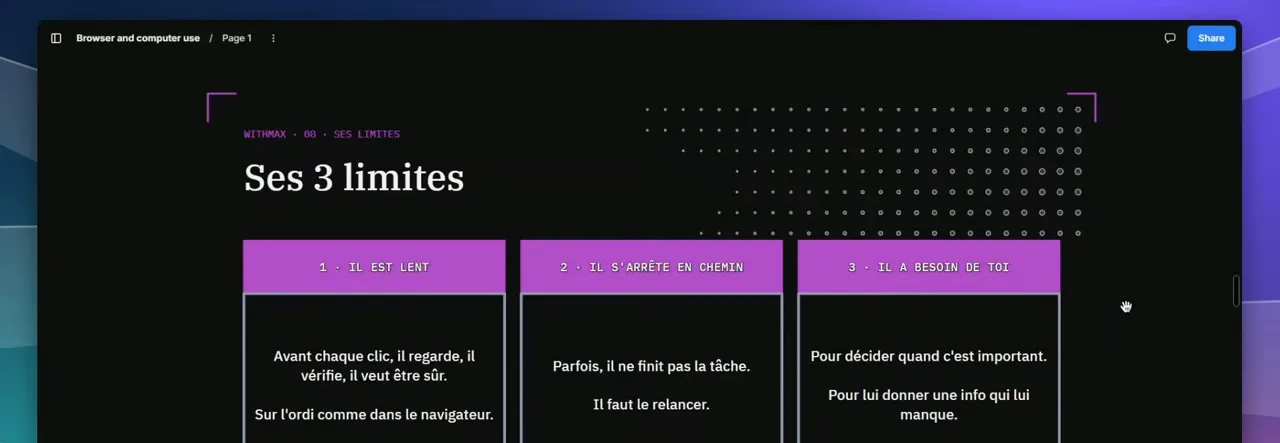
- It has 3 limits: it is slow, it stops halfway, and it asks you before important decisions.
- The rule: use a connector if one exists, then browser use if there is a website, then computer use.
Hand ChatGPT your first task
The free guide has the setup, the 4 tasks, and ready-to-copy prompts.
Get the free guideBrowser use vs computer use
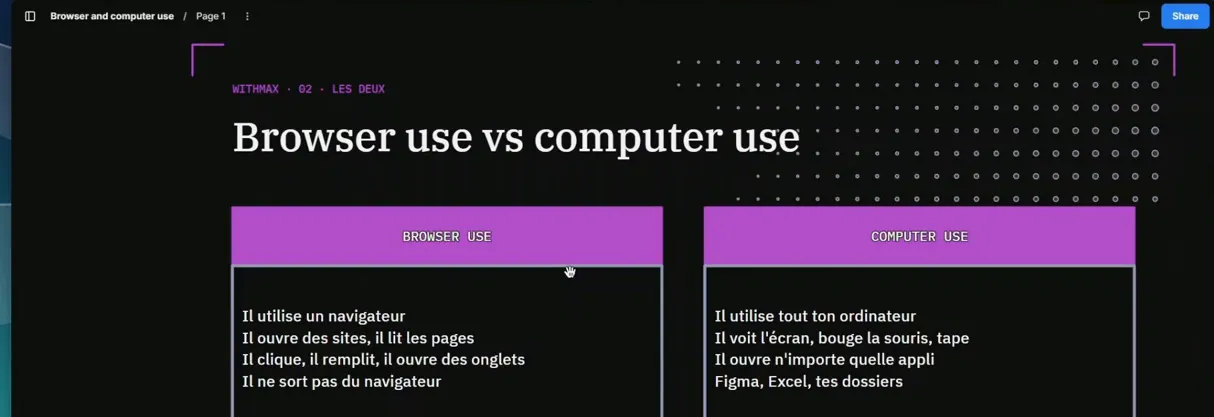
There are two ways for an AI to do tasks for you. With browser use, it works in the browser: it opens websites, clicks, fills in forms, and moves between pages. With computer use, it can also use the native apps installed on your computer.
| Browser use | Computer use | |
|---|---|---|
| Websites | Yes | Yes |
| Apps installed on your computer | No | Yes (Excel, Notion, Figma…) |
| Where you turn it on | Built-in browser or Chrome extension | Settings → Computer use |
| Best for | Anything with a website | Apps with no website or connector |
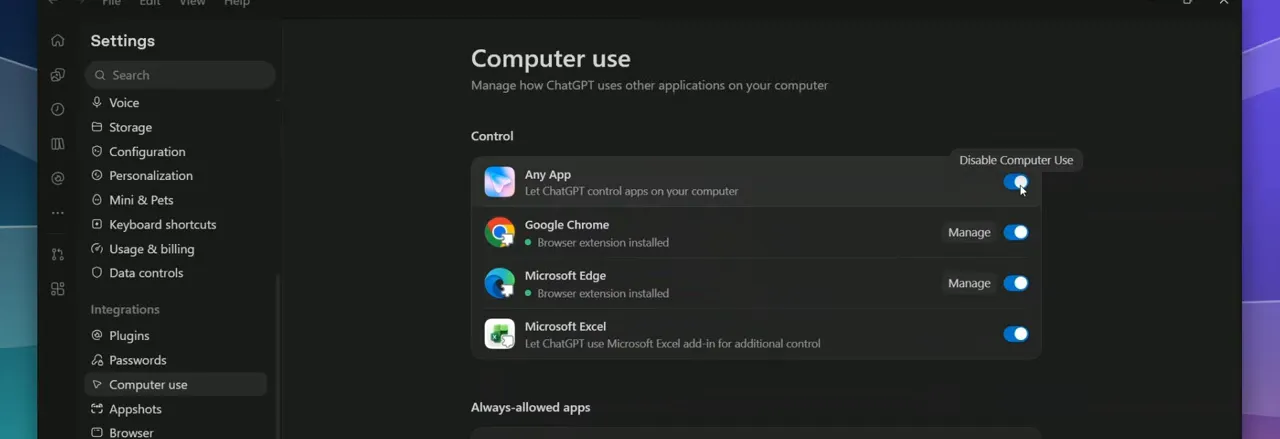
How to turn on browser use and computer use in ChatGPT
Browser use
You have two options: ChatGPT's built-in browser, or your own Google Chrome with the ChatGPT extension. Press Ctrl + Shift + B to open or close the built-in browser. From there, ask it to summarize a page, open a link, or click for you. You can also select an element on the page and ask about it. It can ask your permission before it visits a site.
Computer use
Open ChatGPT's settings and click Computer use. That is where you turn it on or off and choose which apps the agent can use. The browser use settings are just below.
4 tasks I gave ChatGPT
1. Fill a Notion page
I asked it to open my Notion page and add 5 video ideas in a table, with a title and a date. It opened a tab, found the page, added the table, and filled in the 5 ideas, then closed the browser on its own.
2. Write a reply on X
I asked it to open x.com in my Chrome, find OpenAI's latest post, and write a reply without ever posting it. It took control of the browser (you can stop it with one button), opened the post, and wrote the reply.
3. Make a YouTube thumbnail in Canva
It opened canva.com, searched for the YouTube thumbnail format when it couldn't find it, added a text, made it bigger, and changed its color. Its final answer also explained how to do it yourself.
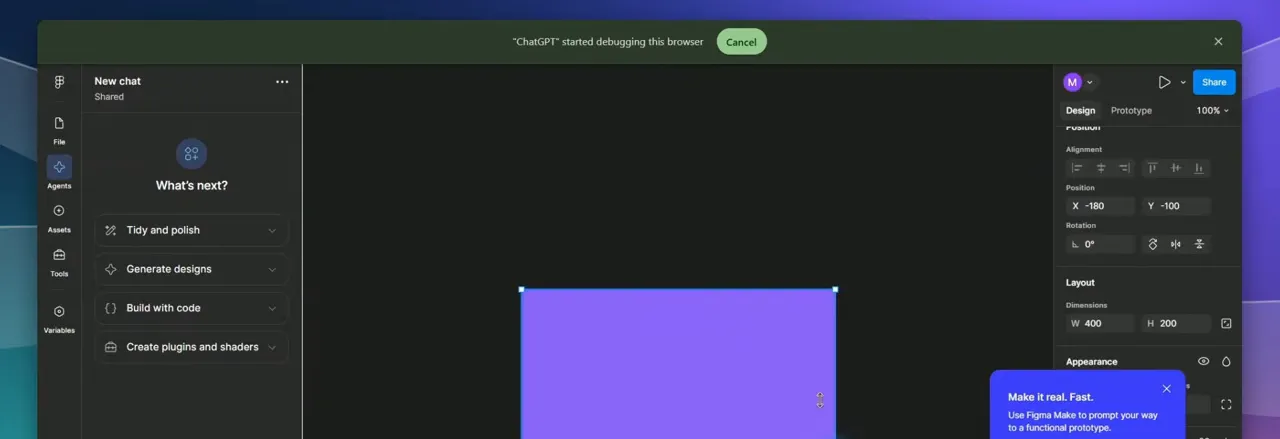
4. Draw in the Figma app
I asked it to open the Figma app, create a design file, and draw a purple rectangle in the middle. It first said it couldn't find the app and opened Figma on the web. I told it the app was installed, and it took control of my computer and finished in under 2 minutes.
Get the free guide
Every prompt from the 4 tasks, plus 10 everyday tasks to hand over.
Download the guide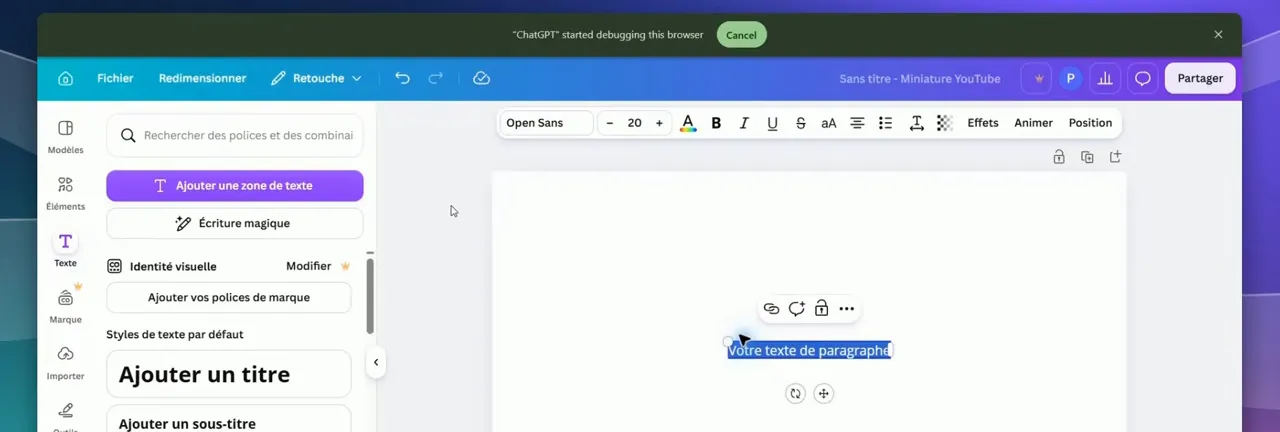
The limits of ChatGPT computer use
It is slow
Before each click, it looks and checks before the next action. That makes every task slower than doing it yourself.
It stops halfway
It sometimes stops in the middle of a task, and you have to start it again.
It needs you for big decisions
It always asks you before important decisions. It is not very proactive.
When to use browser use, computer use, or a connector
- Is there a connector for the app? Use it. Figma, Canva, and Notion all have one, and it is faster than clicking.
- No connector, but a website? Use browser use.
- No connector and no website? Use computer use. OBS, the recording app, is a good example. Claude and Gemini have computer use too: see computer use agents compared.
Frequently asked questions
What is ChatGPT agent mode?
It was ChatGPT's mode for doing tasks on a virtual computer. OpenAI says it is no longer available: ChatGPT Work and the cloud browser replaced it, and browser use and computer use act on your own computer. What replaced agent mode
What is the difference between ChatGPT browser use and computer use?
Browser use works only in a browser: websites, clicks, and forms. Computer use can also open and use the apps installed on your computer.
How do I open ChatGPT's built-in browser?
Press Ctrl + Shift + B to open or close it. You can also use your own Chrome with the ChatGPT extension.
Is ChatGPT computer use safe?
You choose which apps it can use, it can ask before visiting a site, and you can stop it with one button. For anything that sends or pays, tell it not to finish the action, like I did on X.
Does it work on Mac and Windows?
Yes. On Mac, you also allow screen recording and accessibility access when macOS asks.
Is the guide free?
Yes. The guide and all its prompts are free to download. Get the guide
About the author
 Maximin
I’m a software engineer, and I help businesses and individuals turn their ideas into real projects with AI agents.