How to Make a GIF with ChatGPT, the Free AI GIF Generator (6-Frame Method)
 Maximin
- Published
- 3 min read
- 3 min read
Key takeaways
- OpenAI released Images 2.6 on November 4, 2026, and it can make GIF animations.
- The method is 6 frames: the same character, the same scene, the same camera. Only the movement changes from one frame to the next.
- You can start from a hand drawing, a mascot, a logo, or a product photo.
- Images 2.6 is 50% faster than the previous version, according to OpenAI, and keeps characters more consistent across edits.
- It is available worldwide, free plans included. Usage limits depend on your plan.
Make your first GIF today
The free guide has the 6-frame method and 5 prompts ready to copy.
Get the free guideWhat's new in ChatGPT Images 2.6
On November 4, 2026, OpenAI announced a new version of its image generator, Images 2.6. The part I find most useful: it can now create GIFs, those short looping animations you see all over social media.
- GIF animations from a simple prompt.
- 50% faster image generation than the previous version, according to OpenAI.
- More consistent characters and objects when you make several edits.
- Available worldwide, including on ChatGPT's free plans.
The 6-frame method for ChatGPT GIFs
OpenAI's example shows a small character watching the bush collapse, then starting to cry. The idea is simple: you ask the AI for several images that show the steps of a movement. In OpenAI's example, there are 6.
What stays the same
The character's look, the scene, and the camera position. If any of these change between frames, the animation flickers.
What changes
Only the movement: here, the character's expression, frame after frame. Once the frames are put together, you get the loop.
| Frame | What happens |
|---|---|
| 1 | The character looks calm |
| 2 | Something starts to change in the scene |
| 3 | The character notices it |
| 4 | The expression starts to break |
| 5 | The emotion peaks |
| 6 | A pose that loops back to frame 1 |
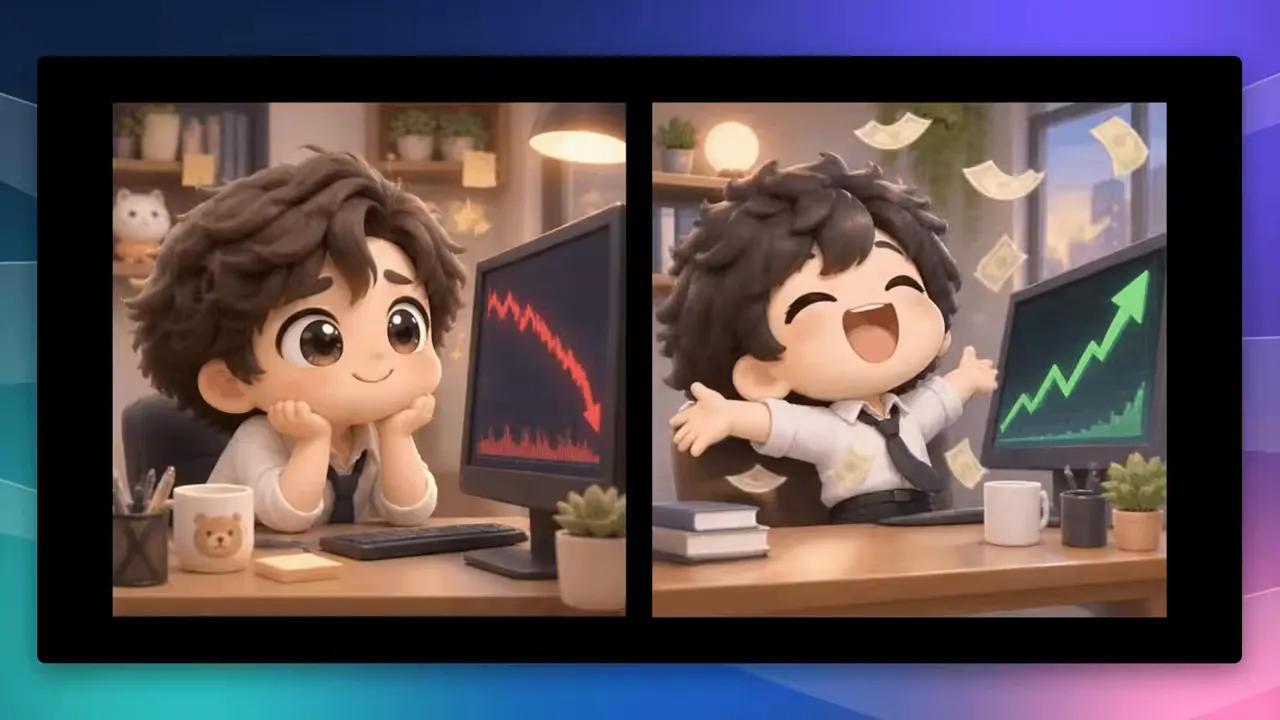
How to make your first GIF with ChatGPT
- Pick your subject: a mascot, a logo, a product, or a quick sketch you drew by hand.
- Describe it once, in detail: its look, the background, and the camera angle.
- Write the 6 steps of the movement, one line per frame.
- Ask for a looping GIF, and repeat that nothing but the movement may change.
Get the 5 GIF prompts
Ready-to-copy prompts for a mascot, a logo, a product, a reaction, and a sketch.
Download the free guideGIF ideas for your brand
A mascot or a character
Give your mascot a reaction: a wave, a laugh, a surprise. It works well as a reply on social media.
A logo
Make your logo appear, bounce, or light up for a post or an intro.
A hand drawing
Start from a sketch on paper. ChatGPT keeps your drawing style and animates it.
Frequently asked questions
Can ChatGPT make GIFs?
Yes. Since Images 2.6, released on November 4, 2026, ChatGPT can create GIF animations from a prompt.
Do I need a paid ChatGPT plan to make GIFs?
No. OpenAI says Images 2.6 is available worldwide, free plans included. Usage limits depend on your plan.
How many frames should a ChatGPT GIF have?
OpenAI's own example uses 6 frames. Keep the character, the scene, and the camera the same, and only change the movement.
Can I animate my own drawing?
Yes. You can start from a simple hand drawing, a mascot, or a logo.
Is the GIF guide free?
Yes. The guide and its 5 prompts are free to download. Get the guide
About the author
 Maximin
I’m a software engineer, and I help businesses and individuals turn their ideas into real projects with AI agents.